

|
ABB · INDUSTRIAL AUTOMATION
SDCS-COM-82
|
EXACT-MATCH CHECK
MODEL · CODE · REVISION · SYSTEM
Confirm the complete identity before replacement.
|
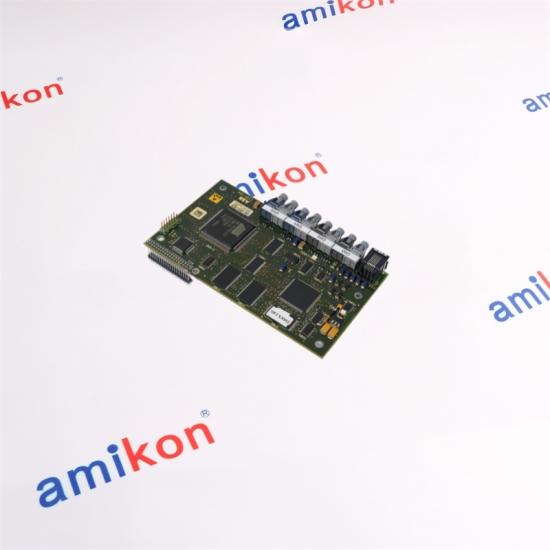
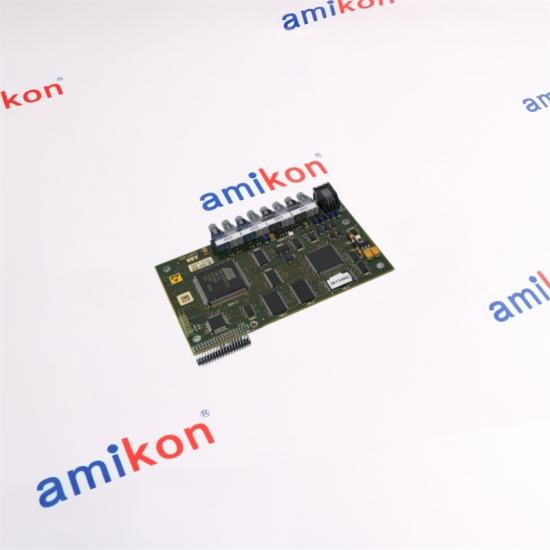
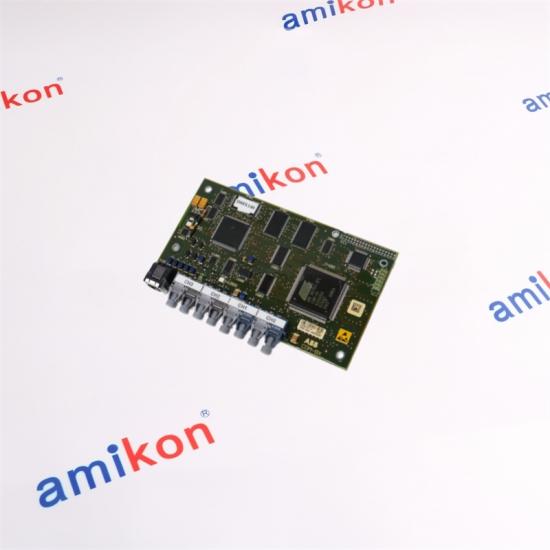
| Installed with a DCS800, the board extends the drive with DDCS serial communication. Channel 0 connects an N-type fieldbus adapter, channel 1 serves DDCS I/O extension, channel 2 supports master–follower links, and channel 3 is reserved for DriveWindow or an IBA interface. | Brand: ABB Model: SDCS-COM-82 Order code: 3ADT314900R1001 Category: DCS800 DDCS Communication Board |
|
◈ Installed Role
Four optical channels for drive communication, I/O expansion, master–follower operation and commissioning access. |
⌁ Integration
System identity, revision and connected hardware define the correct replacement path. |
◎ Buyer Check
Send the complete code, revision, quantity, condition requirement and destination. |
Responsive support for scarce automation parts, urgent dispatch and international delivery coordination.
| 1 | Match optical component speed at both ends; unlike optical types must not be connected together. |
| 2 | Confirm the board revision because CH1 optical hardware changes between G–I and K-or-later revisions. |
| 3 | Isolate drive power and observe ESD handling before removing the board. |
| 4 | Preserve channel routing, fiber orientation and X19 connections during replacement. |
| 01 |
Can SDCS-COM-82 replace SDCS-COM-81 directly?
No automatic substitution should be assumed. Their channel-0 application differs, so the controller or fieldbus architecture must be checked first.
|
| 02 |
Why does the SDCS-COM-82 revision matter?
CH1 uses different optical component speeds in revision groups G–I and K or later. The connected device must use matching optical hardware.
|
| 03 |
Which channel is used for master–follower operation?
Channel 2 is assigned to master–follower communication between dependent drives.
|
| 04 |
What should be checked before ordering 3ADT314900R1001?
Confirm the full code, board revision, DCS800 type, channel use and the optical component colors at each connection.
|
| 05 |
What do the board LEDs indicate?
The green LED indicates the 5 V supply is available. A blinking red LED is associated with booting; a continuously lit red LED indicates a fault.
|

ABB 07KT92 GJR5250500R0202 is 07 KT 92 Central Unit - 90 Series 24 VDC Power Supply CPU - 14 K FLASH EPROM twelve 24 VDC inputs Eight 24 VDC/ 0.5A transistor outputs 4 analogue inputs 12 bits resolution 2 analogue output 12 bits resolution 2 programmable RS 232 port RS 485 system The Dimensions is 24 cm x 13.7 cm x 8.5 cm, and the weight is 1 lbs 10.1 oz (0.64 kg ).

ABB DSPC172H 5731001-MP Master CPU Module DSPC172H ABB Master CPU Module Model Type: 57310001-MP/2 DSPC 172H ABB Master CPU Module, article number 57310001-MP/2. Firmware prom sub-modules. Dimensions: 5.1 cm x 25.4 cm x 25.4 cm Weight: 2 lbs 8.0 oz (1.1kg ) Series: ABB Master series module

ABB DSQC201 YB560103-AB Robot Module DSQC 201 Robot Module Model Type: YB560103-AB Dimensions: 15.2 cm x 2.5 cm x 22.9 cm Weight: 0 lbs 6.0 oz (0.2kg ) Series: ABB Robots robotics series module

ABB DSQC541 PCB Backplane Controller Card DSQC541 DSQC 541 Backplane Card module Model Type: DSQC541 DSQC 541 Input Voltage: 24V DC Operating Temperature: 0°C to 45°C Storage Temperature: -25°C to 70°C Dimensions: 19.2 cm x 12.5 cm x 22.9 cm Weight: 0 lbs 6.0 oz (0.220 kg ) Series: ABB Robots robotics series module

ABB DSQC608 3HAC12934-1 Robotics Power Supply Module DSQC608 3HAC12934-1 DSQC 608 Model Type: 3HAC12934-1 Input Voltage: 24V DC Operating Temperature: 0°C to 45°C Dimensions: 7.1x13.5x18.5cm Weight: 1.380 kg Series: ABB Robots robotics IRC5 Single series module

ABB DSQC643 3HAC024488-001/01 Controller Panel Board DSQC 643 DSQC643 3HAC024488-001/01 Model Type: 3HAC024488-001/01 Input Voltage: 24V DC Operating Temperature: 0°C to 45°C ROBOTICS FOR IRC5 CABINET WITH FLAT DOORS Dimensions: 28x20.3x2.7cm Weight: 0.400 kg Series: ABB Robots robotics controller IRC5 Single series module

ABB IMDSO14 Digital Output Slave Module Parts Type: Digital Output Slave Model Type: Bailey Infi 90 IMDSO14 Digital Output Slave, 16-Channel Open Collector, Power Requirements +5 VDC, 370 mA Dimensions: 17.8 cm x 5.1 cm x 33.0 cm Weight: 0.200 kg Series: ABB Bailey Infi 90, ABB Bailey Infi 90 and Net 90

ABB MB510 3BSE002540R1 Program Card Interface Module Parts Type: MB510 Program Card Interface Model Type: 3BSE002540R1 Country of Origin: Sweden Dimensions: 2.2x17x10.2cm Weight: 0.1400 kg Series: Advant OCS with Master, Advant Controller 450RMC


Inventory Products


More than 40.000.000 products available and worldwide support


 Trust Guaranteed
 Customer Support


 IPv6 network supported