

| 1.General Specifications | |
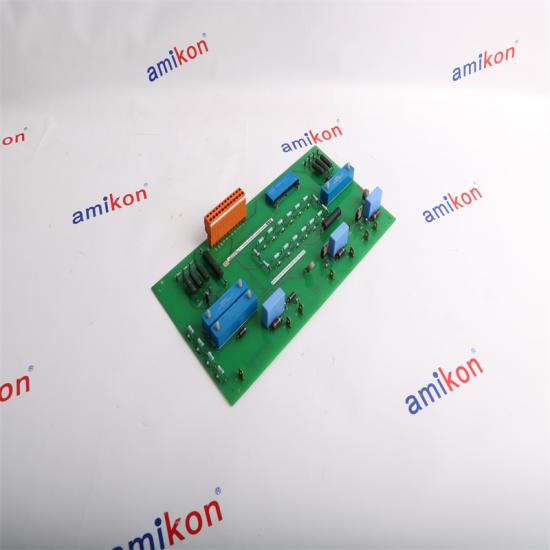
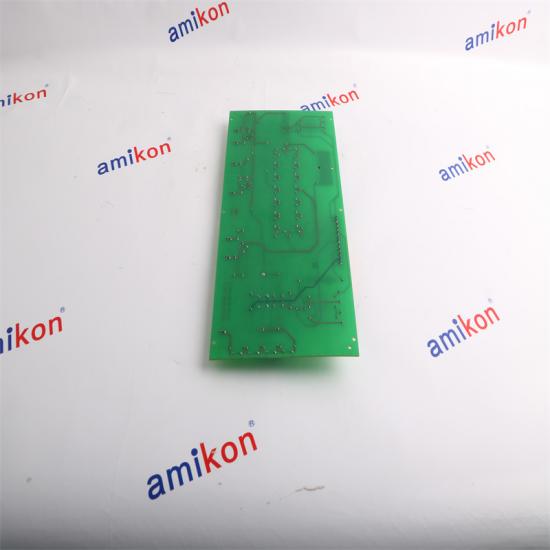
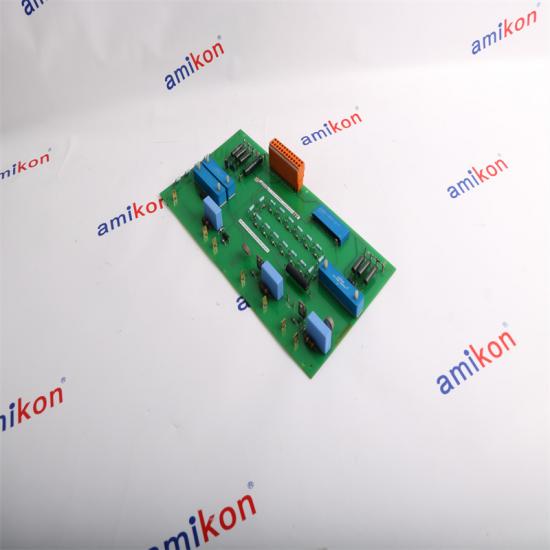
| Product Type: | I/O Module |
| Model Number: | HIEE305106R0001 |
| Part Number: | UNS0017A-P |
| 2.Input Specifications | |
| Number of Inputs: | 16 |
| Digital Inputs: | Typically 24V DC |
| Analog Inputs: | 0-10V, 4-20mA |
| Input Signal Resolution: | 16-bit |
| Input Frequency: |
Up to 1 kHz |
| Environmental Specifications | |
| • Operating Temperature : | 0°C to 60°C (32°F to 140°F) |
| • Storage Temperature : | -20°C to 70°C (-4°F to 158°F) |
| • Relative Humidity : | 5% to 95% non-condensing |
| Physical Specifications | |
| • Dimensions : | Varies by module; refer to datasheet for exact measurements |
| • Weight : | Typically 0.5-1.5 kg |
| Compliance and Certification | |
| • Standards : | CE, UL, or other industry-specific certifications as applicable |
| 1. Power Supply Issues |
|
Problem: Module not powering up or intermittent power loss. Solution:Check Connections: Verify that the power supply connections are secure and properly wired. Verify Voltage: Ensure the power supply voltage matches the module's requirements (typically 24V DC). |
| 2.Communication Failures |
|
Problem: Module not communicating with the control system or other networked devices. Solution:Check Wiring: Ensure that all communication cables are correctly connected and undamaged. Verify Protocol Settings: Confirm that the communication settings (protocol, baud rate, etc.) are correctly configured. |
| 3.Input/Output Signal Issues |
|
Problem: Incorrect or erratic input or output signals. Solution:Signal Calibration: Verify and calibrate the signal inputs/outputs according to the module's specifications. Check Wiring: Ensure that input and output wiring is correct and properly connected. |
| 4.Module Not Recognized by the System |
|
Problem: The control system or software does not recognize the module. Solution:Firmware Update: Check if the module requires a firmware update or if there are compatibility issues with the current firmware version. System Configuration: Ensure the module is correctly configured in the control system software, including correct module type and address settings. |
| 5.Error Messages or Diagnostics |
|
Problem: Error messages or diagnostic indicators on the module. Solution:Consult Documentation: Refer to the module’s manual or datasheet to interpret error codes or diagnostic indicators. Troubleshoot: Follow troubleshooting steps provided in the documentation for specific error messages. |
You May Like
| ABB | SAFT113POW SAFT 113 POW | Power Supply Module |
| ABB | C87-11006 | Bailey Base Module |
| ABB | DSCS131 57310001-LM | Communication module |
| ABB | SDCS-CON-2B 3ADT309600R0012 | Control Board |
| ABB | TU515 1SAP212200R0001 | I/O Terminal Unit |
| ABB | PM154 3BSE003645R1 | Advant Controller Module |
| ABB | PM153 3BSE003644R1 | Advant Controller Module |
| ABB | DTCC901B 61430001-FU | Input/Output Module |
| ABB | DTDX991A 61430001-UW | Circuit Board |
| ABB | 07MK92 GJR5253300R3161 | Communication Processor Module |
| ABB | NBIO-21CU | BASIC I/O UNIT |
Please contact us and look forward to our cooperation!


ABB 07KT92 GJR5250500R0202 is 07 KT 92 Central Unit - 90 Series 24 VDC Power Supply CPU - 14 K FLASH EPROM twelve 24 VDC inputs Eight 24 VDC/ 0.5A transistor outputs 4 analogue inputs 12 bits resolution 2 analogue output 12 bits resolution 2 programmable RS 232 port RS 485 system The Dimensions is 24 cm x 13.7 cm x 8.5 cm, and the weight is 1 lbs 10.1 oz (0.64 kg ).

ABB DSPC172H 5731001-MP Master CPU Module DSPC172H ABB Master CPU Module Model Type: 57310001-MP/2 DSPC 172H ABB Master CPU Module, article number 57310001-MP/2. Firmware prom sub-modules. Dimensions: 5.1 cm x 25.4 cm x 25.4 cm Weight: 2 lbs 8.0 oz (1.1kg ) Series: ABB Master series module

ABB DSQC201 YB560103-AB Robot Module DSQC 201 Robot Module Model Type: YB560103-AB Dimensions: 15.2 cm x 2.5 cm x 22.9 cm Weight: 0 lbs 6.0 oz (0.2kg ) Series: ABB Robots robotics series module

ABB DSQC541 PCB Backplane Controller Card DSQC541 DSQC 541 Backplane Card module Model Type: DSQC541 DSQC 541 Input Voltage: 24V DC Operating Temperature: 0°C to 45°C Storage Temperature: -25°C to 70°C Dimensions: 19.2 cm x 12.5 cm x 22.9 cm Weight: 0 lbs 6.0 oz (0.220 kg ) Series: ABB Robots robotics series module

ABB DSQC608 3HAC12934-1 Robotics Power Supply Module DSQC608 3HAC12934-1 DSQC 608 Model Type: 3HAC12934-1 Input Voltage: 24V DC Operating Temperature: 0°C to 45°C Dimensions: 7.1x13.5x18.5cm Weight: 1.380 kg Series: ABB Robots robotics IRC5 Single series module

ABB DSQC643 3HAC024488-001/01 Controller Panel Board DSQC 643 DSQC643 3HAC024488-001/01 Model Type: 3HAC024488-001/01 Input Voltage: 24V DC Operating Temperature: 0°C to 45°C ROBOTICS FOR IRC5 CABINET WITH FLAT DOORS Dimensions: 28x20.3x2.7cm Weight: 0.400 kg Series: ABB Robots robotics controller IRC5 Single series module

ABB IMDSO14 Digital Output Slave Module Parts Type: Digital Output Slave Model Type: Bailey Infi 90 IMDSO14 Digital Output Slave, 16-Channel Open Collector, Power Requirements +5 VDC, 370 mA Dimensions: 17.8 cm x 5.1 cm x 33.0 cm Weight: 0.200 kg Series: ABB Bailey Infi 90, ABB Bailey Infi 90 and Net 90

ABB MB510 3BSE002540R1 Program Card Interface Module Parts Type: MB510 Program Card Interface Model Type: 3BSE002540R1 Country of Origin: Sweden Dimensions: 2.2x17x10.2cm Weight: 0.1400 kg Series: Advant OCS with Master, Advant Controller 450RMC


Inventory Products


More than 40.000.000 products available and worldwide support


 Trust Guaranteed
 Customer Support



 IPv6 network supported